
VLANs
VLANs are the building blocks PrivateLAN uses to segment your network. This page explains how to create VLANs, configure routing, and deploy them to your switches.
Creating a VLAN
When you create a VLAN, you configure:
| Field | Description |
|---|---|
| VLAN ID | The numeric VLAN identifier (1-4094; 0 and 4095 are reserved and cannot carry traffic) |
| Name | A short, descriptive name |
| Network | The subnet's network address |
| Subnet mask | The subnet mask (e.g. 255.255.255.0) |
| Gateway / virtual IP | The default gateway address for devices in this VLAN |
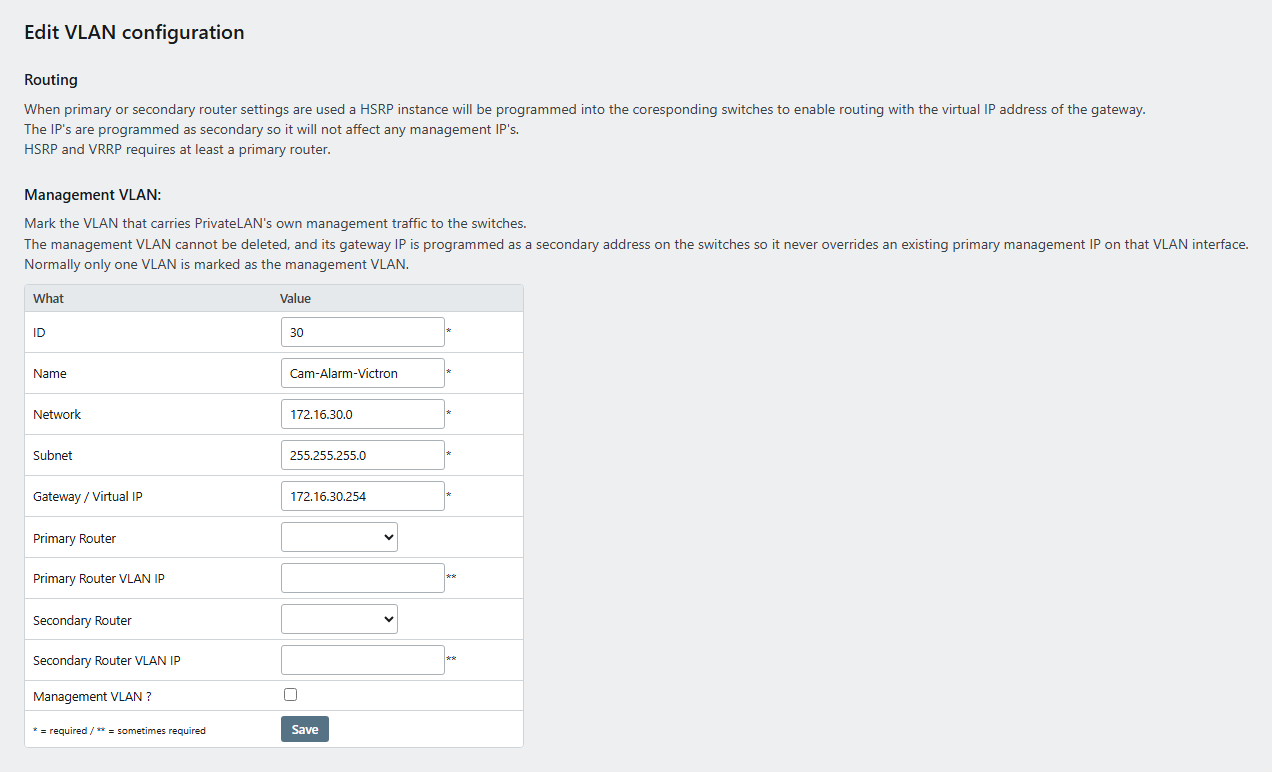
The number of VLANs is not limited by your license.
Routing and high availability
A VLAN can have a primary router and an optional secondary router — both selected from your registered switches. The secondary router provides redundancy if the primary becomes unavailable.
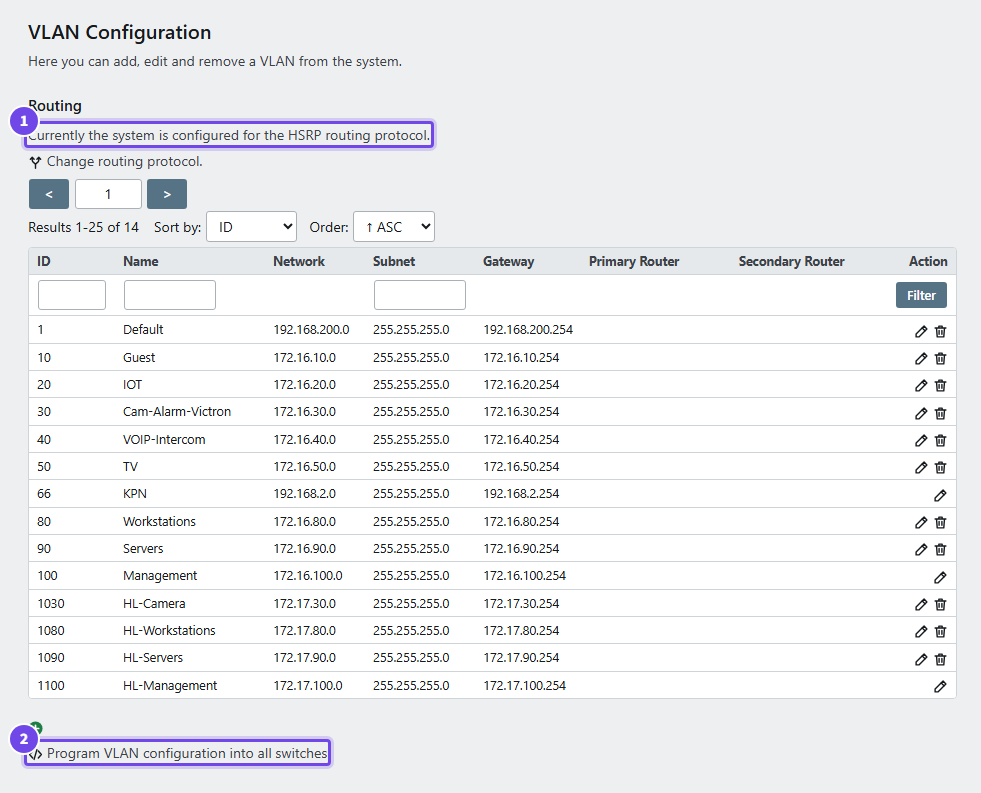
- Routing protocol — the protocol in use (HSRP or VRRP) and the link to change it
- Program VLAN configuration into all switches — pushes every VLAN to every switch
Two routing protocols are available:
- HSRP — Cisco-only, supports one or two routers
- VRRP — open standard, requires two routers. On TP-Link only on some L3 models, and only for a VLAN ID up to 255
A DrayTek VigorSwitch routes a VLAN only on its own, as a single router: it has no VRRP or HSRP. With either protocol chosen, and for the switch's own management VLAN, the appliance reports an error for the DrayTek instead of half configuring the gateway, and leaves its management address alone.
Management VLAN
One VLAN can be marked as the management VLAN. This VLAN cannot be deleted, since it is used for PrivateLAN's own management traffic to the switches. Programming VLANs never removes it from a switch, also not when the switch group does not list it.
Deploying VLANs to switches
Use Program all switches to push the full set of configured VLANs to every switch at once. If you only need to update a single switch, use the Program VLAN action on that switch (see Switch Management).
Programming makes the switch match its switch group: it adds the VLANs assigned to the group that the switch is missing, and removes VLANs that are on the switch but not assigned to the group, on its trunk ports as well. Three VLANs are never removed, from the switch or from its trunk ports, even when the group does not list them: VLAN 1, a VLAN marked as management VLAN, and the VLAN the switch's own management address is on. The result shows them as Kept, with the reason.
Assigning VLANs
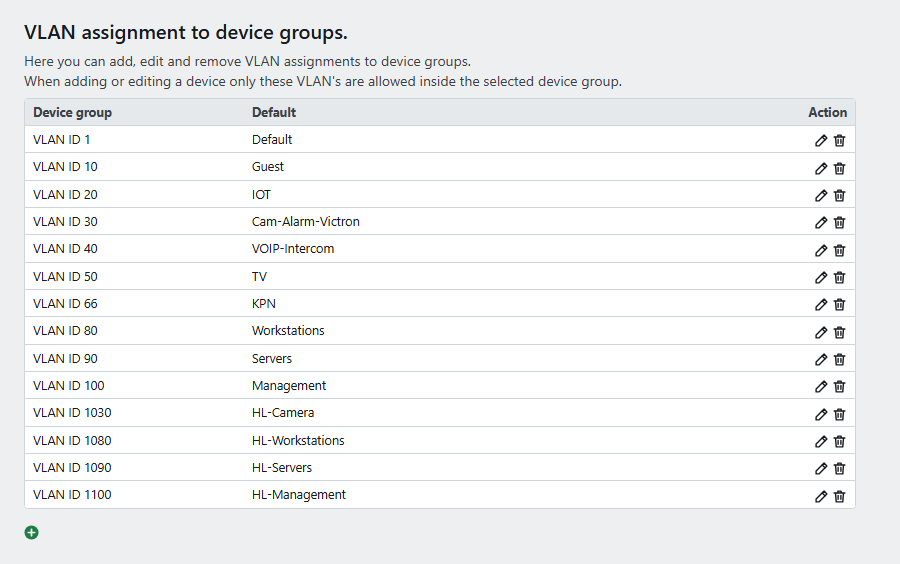
VLANs are not automatically available everywhere — they are assigned to:
- Device groups — controls which VLANs devices in that group are allowed to use
- Switch groups — controls which VLANs are carried by switches in that group
Default VLAN settings
For each switch type (Cisco / Aruba / TP-Link / DrayTek), you can configure a default VLAN that is applied to interfaces that have not been explicitly assigned to a device.
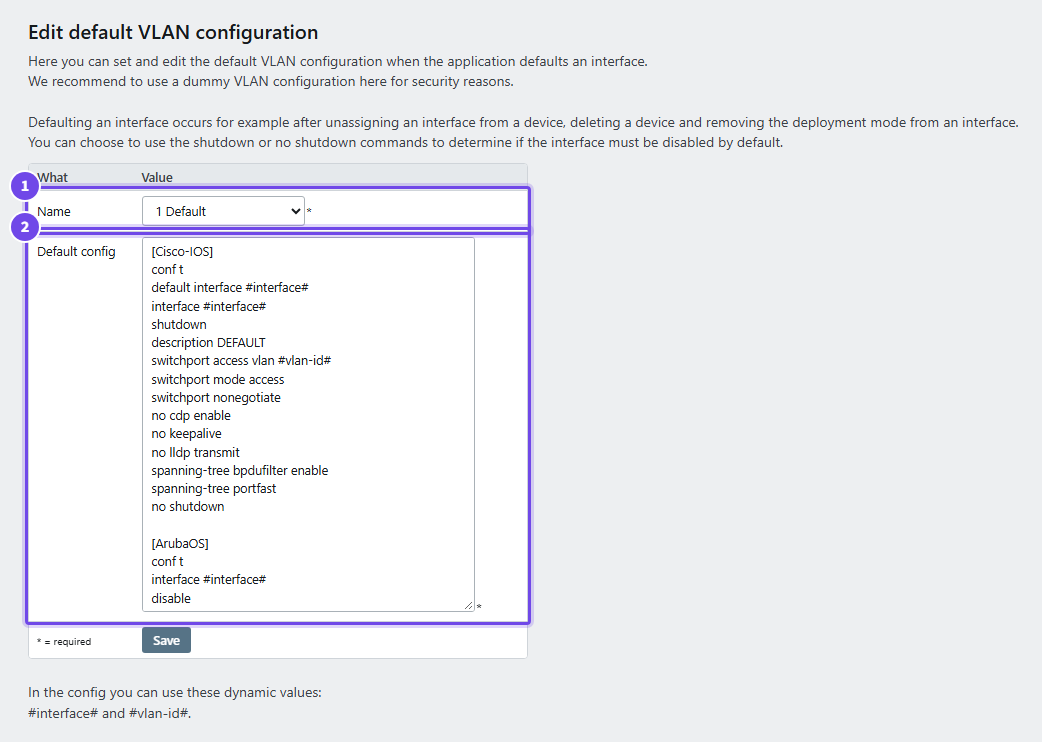
- Name — the VLAN a port gets when it is defaulted
- Default config — the commands per switch type;
#interface#and#vlan-id#are filled in
The default config is yours: updates never change it. The restore icon next to it replaces it with the current PrivateLAN recommendation, after you confirm; nothing is saved until you click Save.
